Set a Threshold 
This option is available for some types of assets.
When this option is available:
-
Select one or more assets in the Asset ID column, and then click
(Set Threshold).NOTE: On some pages, this option may be available from the  More Actions menu.
 -
For each asset, select either an absolute or recurring option for Engine Hours and Total Distance, and then specify the values.
NOTE: A maintenance alert is generated whenever a specified value is exceeded and can be tracked on the Maintenance Report. 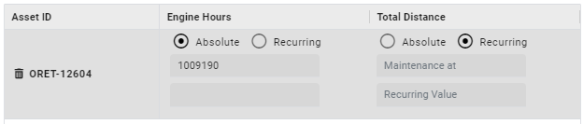
-
Click Save.